Video Conference Tips for More Effective and Professional Online Meetings
Remote work has changed how businesses communicate. Today, teams connect through online meetings more than ever before. That is why learning the best video conference tips is now an essential skill for professionals, managers, remote workers, and business owners.
A poorly managed virtual meeting wastes time and lowers productivity. Technical issues, weak communication, background distractions, and low engagement can quickly ruin the experience. On the other hand, a well-organized video call helps teams collaborate better, make faster decisions, and build stronger relationships.
The good news is that improving online meetings is not difficult. A few smart habits and the right setup can make a huge difference. In this guide, you will learn practical strategies to improve your virtual meetings, avoid common mistakes, and create a professional video conferencing experience every time.
Why Video Conference Skills Matter More Than Ever
Online meetings are now part of daily business operations. Companies use video conferencing for:
- Team collaboration
- Client meetings
- Interviews
- Sales presentations
- Webinars
- Training sessions
- Remote project management
As remote and hybrid work continue to grow, professionals who communicate effectively online have a major advantage.
Strong virtual communication improves:
- Productivity
- Team engagement
- Customer trust
- Collaboration
- Decision-making
Good meeting habits also reduce confusion and save time.
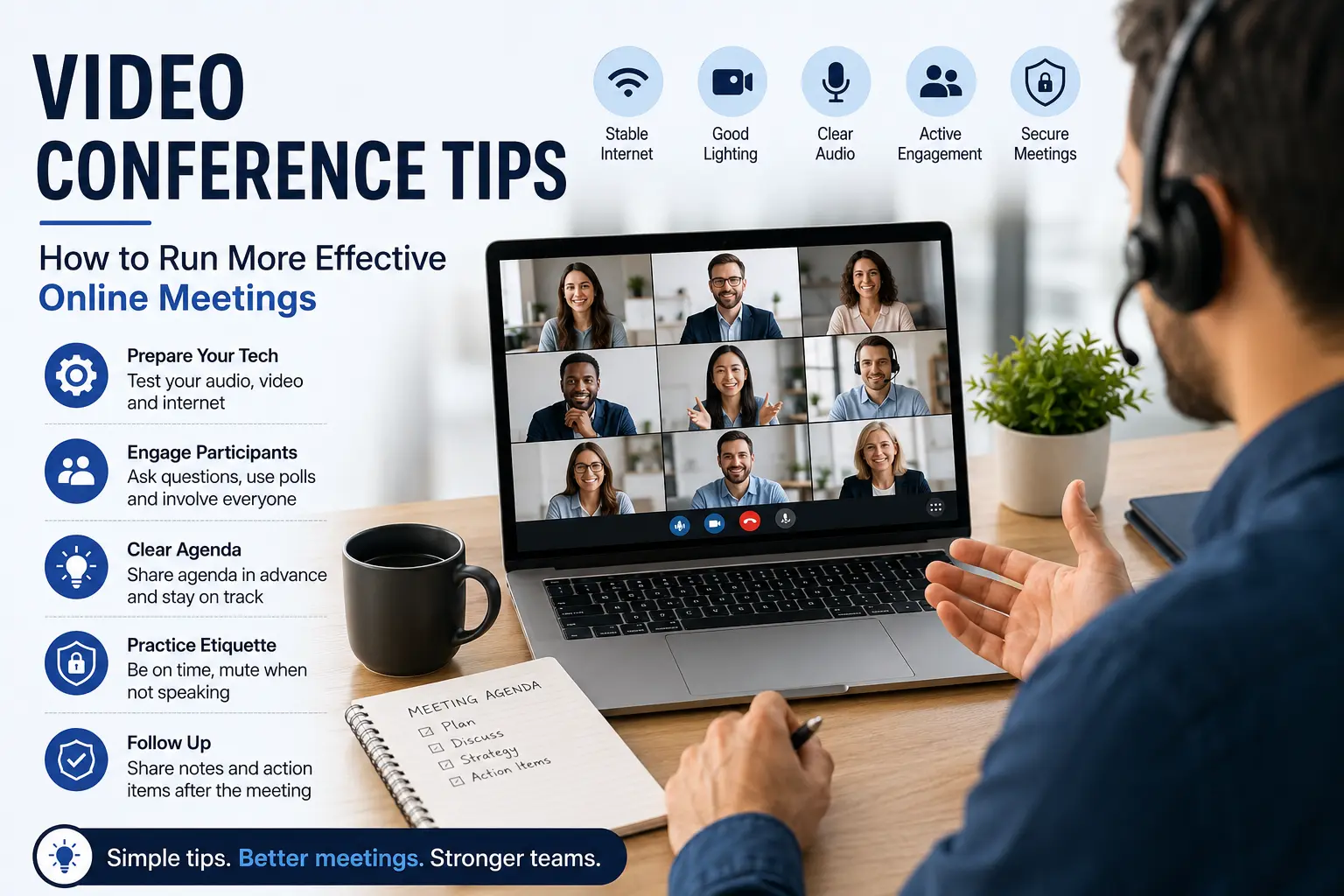
Prepare Your Technology Before the Meeting
One of the most important video conference tips is simple: prepare before the meeting starts.
Technical problems create frustration and waste valuable time. Testing your setup early helps avoid last-minute issues.
Before every meeting, check:
- Your internet connection
- Webcam quality
- Microphone audio
- Speaker volume
- Screen sharing tools
- Meeting links and passwords
Join the meeting five to ten minutes early. This gives you enough time to solve unexpected problems calmly.
If possible, use wired internet instead of Wi-Fi. A stable connection improves video and audio quality during important calls.
Choose the Right Video Conferencing Platform
Not all video conferencing tools offer the same experience. Choosing the right platform depends on your meeting needs.
Popular platforms include:
- Zoom
- Microsoft Teams
- Google Meet
- Cisco Webex
When selecting a platform, consider:
- Security features
- Ease of use
- Screen sharing
- Recording options
- Breakout rooms
- Chat functions
- Integration with business tools
For large organizations, security and reliability should always come first.
Create a Professional Meeting Environment
Your environment affects how people see and hear you during meetings.
Choose a quiet location with:
- Good lighting
- Minimal background noise
- Clean surroundings
- Stable internet access
Natural light works best. Face a window instead of sitting with bright light behind you.
Keep your camera at eye level. This creates natural eye contact and improves communication.
Avoid distracting backgrounds whenever possible. A simple and organized setup looks more professional.
Good body language also matters. Sit upright, smile naturally, and stay engaged throughout the conversation.
Video Conference Tips for Better Communication
Communication is the foundation of successful online meetings. Without clear communication, even short calls become confusing.
Here are some effective communication habits:
Speak Clearly and Slowly
Internet delays sometimes affect audio quality. Speaking too quickly makes understanding difficult.
Use short sentences and pause naturally between ideas.
Mute Yourself When Not Speaking
Background sounds can distract everyone in the meeting.
Mute your microphone when you are not talking, especially during larger meetings.
Maintain Eye Contact
Look into the camera occasionally while speaking. This creates a stronger connection with participants.
Avoid Interrupting Others
Online conversations can easily overlap.
Wait for others to finish speaking before responding.
Use Visual Aids
Slides, charts, and screen sharing help explain ideas clearly and keep participants focused.
How to Keep Remote Participants Engaged
Many virtual meetings fail because people lose attention quickly.
Keeping participants engaged is one of the most valuable video conference tips for remote teams.
Here are simple ways to improve engagement:
Ask Questions Frequently
Encourage participation throughout the meeting.
Simple questions help attendees stay focused.
Use Polls and Interactive Features
Modern meeting platforms offer:
- Polls
- Reactions
- Chat tools
- Breakout rooms
Interactive features increase collaboration and reduce boredom.
Keep Meetings Short
Long meetings reduce productivity.
Whenever possible:
- Limit meetings to 30–45 minutes
- Focus only on essential topics
- End with clear action steps
Share an Agenda Before the Meeting
A clear agenda helps participants prepare in advance.
It also keeps the discussion organized and prevents unnecessary distractions.
Best Video Conference Tips for Team Leaders
Managers and team leaders play a major role in meeting success.
Strong leadership creates more organized and productive discussions.
Start With Clear Goals
Explain:
- Why the meeting matters
- What decisions need to be made
- What outcomes you expect
Clear expectations improve focus.
Encourage Participation
Some remote employees hesitate to speak during virtual meetings.
Invite quieter team members to share ideas directly.
This builds inclusion and collaboration.
Assign Responsibilities
At the end of the meeting:
- Review action items
- Assign responsibilities
- Confirm deadlines
This prevents confusion later.
Follow Up After the Meeting
Send:
- Meeting notes
- Task summaries
- Important decisions
- Deadlines
Good follow-up improves accountability.
Common Video Conferencing Mistakes to Avoid
Even experienced professionals make mistakes during online meetings.
Avoiding these common issues can improve your meetings immediately.
Poor Internet Connection
Weak internet causes frozen screens and audio delays.
Upgrade your connection if online meetings are part of your daily work.
Multitasking During Meetings
Checking emails or phones during meetings reduces focus and professionalism.
Stay present and actively participate.
Ignoring Meeting Etiquette
Basic etiquette still matters online.
Avoid:
- Eating loudly
- Interrupting
- Talking over others
- Using noisy environments
Overloading Meetings
Not every discussion needs a video call.
Sometimes:
- Chat
- Shared documents
can solve issues faster.
Security Tips for Online Meetings
Cybersecurity is increasingly important in virtual communication.
Protect your meetings by following these safety practices:
Use Password-Protected Meetings
Always secure meetings with passwords when discussing sensitive information.
Enable Waiting Rooms
Waiting rooms allow hosts to control who joins the meeting.
This reduces unwanted access.
Avoid Public Wi-Fi
Public internet networks can expose private business data.
Use secure connections whenever possible.
Keep Software Updated
Updates fix security vulnerabilities and improve platform performance.
Enable automatic updates if possible.
Best Equipment for Professional Video Calls
You do not need an expensive studio setup, but quality equipment improves your meeting experience significantly.
Useful tools include:
Webcam
A high-definition webcam improves video quality and professionalism.
External Microphone
Dedicated microphones provide clearer audio than built-in laptop microphones.
Headphones
Headphones reduce echo and improve sound clarity.
Lighting
A simple desk lamp or ring light can dramatically improve your appearance on camera.
How to Reduce Zoom Fatigue
Too many virtual meetings can become mentally exhausting.
This is often called Zoom fatigue.
You can reduce fatigue by:
- Taking short breaks between meetings
- Turning off self-view occasionally
- Scheduling shorter calls
- Standing or stretching during long sessions
- Avoiding unnecessary meetings
Organizations should also respect employees’ focus time and avoid overscheduling calendars.
AI Tools That Improve Virtual Meetings
Artificial intelligence is changing how online meetings work.
Many companies now use AI tools for:
- Automatic meeting summaries
- Live transcription
- Note-taking
- Task tracking
- Meeting scheduling
Popular AI meeting assistants integrate directly with conferencing platforms and improve productivity.
These tools save time and help teams stay organized after meetings end.
Troubleshooting Common Video Call Problems
Even well-prepared meetings sometimes face technical issues.
Here are quick fixes for common problems.
Audio Problems
- Check microphone settings
- Restart your device
- Reconnect headphones
Video Freezing
- Close unnecessary applications
- Improve internet speed
- Reduce video resolution if needed
Echo or Feedback
- Use headphones
- Mute unused microphones
- Avoid multiple devices in the same room
Screen Sharing Issues
- Update your conferencing software
- Test screen sharing before important meetings
- Close confidential tabs before sharing
Final Thoughts
Virtual meetings are now a permanent part of modern business communication. Learning the right video conference tips can help you communicate more clearly, improve teamwork, and create a more professional online presence.
The best online meetings are simple, organized, and focused. Prepare your technology early, communicate clearly, keep participants engaged, and follow proper meeting etiquette.
Small improvements can make a huge difference over time.
As remote work and hybrid collaboration continue to grow, professionals who master virtual communication will stand out in every industry.
FAQs
What are the best video conference tips for beginners?
Start by testing your technology, joining meetings early, muting background noise, and using proper lighting.
Which platform is best for online meetings?
Popular options include Zoom, Microsoft Teams, Google Meet, and Webex. The best choice depends on your business needs and security requirements.
How can I improve video call quality?
Use a stable internet connection, good lighting, an external microphone, and updated conferencing software.
How do I keep online meetings engaging?
Ask questions, use polls, encourage discussion, and keep meetings short and focused.
Why is video conference etiquette important?
Good etiquette improves communication, reduces distractions, and creates a more professional meeting environment.